
Luxon Pay

Buy in and get paid for all World Series of Poker events via Luxon Pay

After the success in 2025, it’s no surprise that users can check-out via Luxon Pay within the WSOP Live app for WSOP 2026, and receive their payout back to their Luxon Pay account. Here comes the bigger news, USA customers can now sign up to Luxon Pay and also skip the queues!

Get started

Buy in and skip the queues

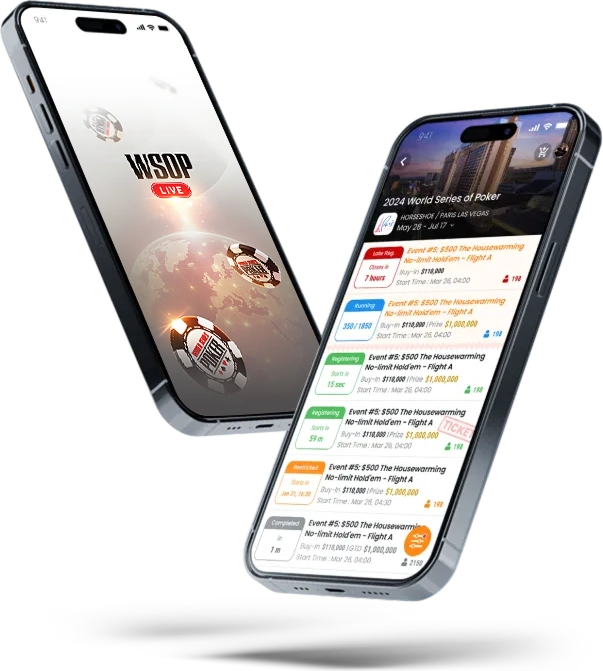
Head to the WSOP Live app, check-out using Luxon Pay and receive your seat draw within the WSOP Live app, no need to queue!
Buy in and skip the queues Buy in and skip the queues

Win a $10,000 WSOP Main Event seat

Every time you check-out with Luxon Pay for a WSOP buy in via the WSOP Live app you will be entered into a prize draw to win a $10,000 WSOP Main Event seat. Every buy in = 1 entry

Learn more
Win a $10,000 WSOP Main Event seat Win a $10,000 WSOP Main Event seat

Now available for US customers

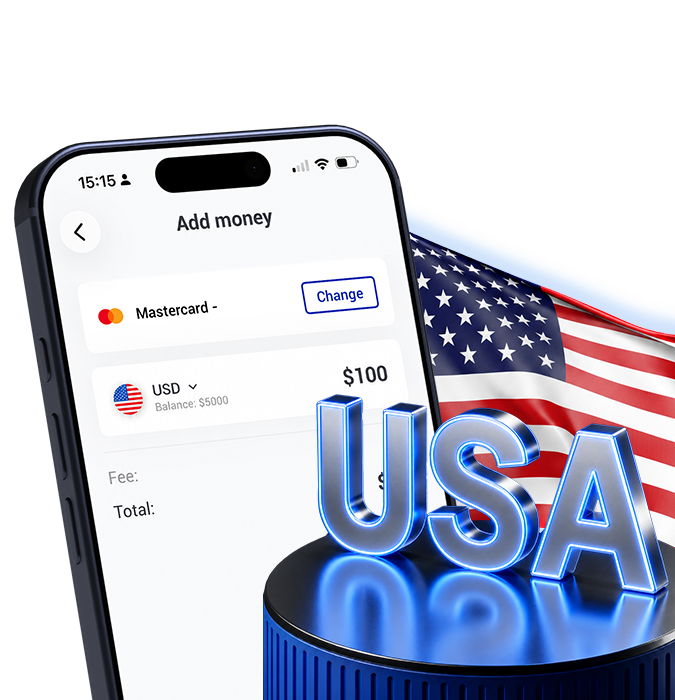
Just in time for the WSOP, Luxon Pay are now accepting customers from the USA! Complete every buy in at your fingertips and skip the queues.
Now available for US customers Now available for US customers

Receive your payout into Luxon Pay

When you reach the money in any WSOP event, simply ask for a cheque at the WSOP cashier, bring it to the Luxon Pay desk and we will bank it and add it direct to your Luxon Pay account

Receive your payout into Luxon Pay Receive your payout into Luxon Pay

Visit us at WSOP

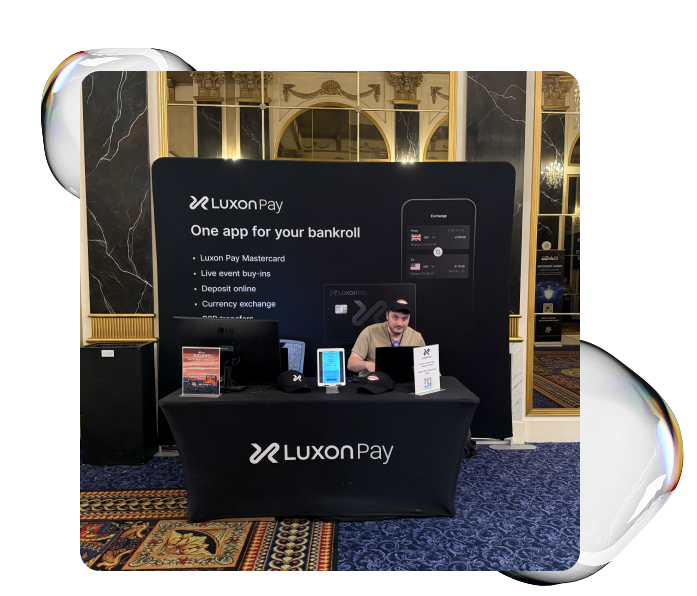
We will be located in Paris hotel close to the main cage. Any questions please come and see us between 09:30 – 17:00
Visit us at WSOP Visit us at WSOP

FAQ

How do I buy into a WSOP Vegas event?

  1. Download the WSOP Live app
  2. Log in with your WSOP account details or create an account
  3. Click on the WSOP Vegas festival and choose which event you wish to play and click Register.
  4. Check out using Luxon Pay to purchase a ticket for that event
  5. You will see your seat draw within the WSOP Live app

Are there any fees to buy into WSOP Vegas events?

There are no fees to buy in to WSOP Vegas events via WSOP Live and Luxon Pay

What do I need to do the first time I buy into a WSOP event via Luxon Pay?

First time Luxon Pay registration requires an in-person verification process at the Champagne Ballroom in the Paris convention centre area. After registering via the app, you must present a valid ID at the WSOP Verification area. The name on the ID must match the name on the tournament registration and the Luxon Pay account used to execute the Luxon Pay transaction. Please allow at least one hour prior to the WSOP Event start time for first-time Luxon Pay registrations.

Once you have made your initial buy in via Luxon Pay and in-person verification, you may register for additional WSOP Events online using the Luxon pay transaction method. Once registered, you can access your ticket in the WSOP Live app, or have your ticket printed at the Verification Desk or WSOP Main Cage.

How long does it take for WSOP Live buy ins to be processed?

Buy-ins are instant when you buy in via WSOP Live.

For your first buy in via WSOP Live and Luxon Pay please allow 1 hour to complete an in-person verification.

Am I automatically entered for that tournament when I register via WSOP Live?

If a seat is available, you will get your seat draw shown in the WSOP Live app. If you are a late registration / alternate and no seats are available immediately you will need to join the late registration / alternates queue to be allocated a seat.

For your first buy in via WSOP Live and Luxon Pay please allow 1 hour to complete an in-person verification.

How do I find my seat draw if I buy in via WSOP Live?

If a seat is available, you will get your seat draw shown in the WSOP Live app.

Is there a contact for Luxon Pay staff in Vegas during WSOP?

Yes, we will have a team of staff at the Luxon Pay desk located in the Paris convention centre area, they will be available between 09:30 – 17:00 local time. Outside of those hours please email wsop@luxon.com.

Which currency do I need to buy in to WSOP Vegas events?

All WSOP Vegas event tickets will be in USD.

Can I buy in to a WSOP Vegas event for another user?

No, all players need to buy-in directly with their own Luxon Pay accounts.

Which regions can deposit into WSOP Live via Luxon Pay?

A user can buy a WSOP event ticket via Luxon Pay if they reside in a country which is available on Luxon Pay, this service is now available for US customers too.

Can I buy a WSOP event ticket via Luxon Pay if I don’t have an account?

No, you will need to set up an account with Luxon Pay and WSOP Live to be able to complete the purchase.

Can I increase my limits to buy in to WSOP events?

There are no limits set by Luxon Pay to purchase WSOP event tickets, However if you need help with other account limits please contact our 24/7 Customer Support Team who will assist you.

I have bought a WSOP event ticket and can no longer play can I have a refund?

You can cancel online up to 24 hours before the event or request a refund at the Paris cage. You can also email Andy Rich at arich@caesars.com before the event begins.

Are there any promotions for WSOP buy-ins via Luxon Pay?

Yes, Luxon Pay are running a promotion during the WSOP series;

Every buy-in via Luxon Pay = 1 raffle entry to win a $10,000 WSOP Main Event seat. Your chance to play the Main Event for free!

Here’s how it works:

  • Buy in to any WSOP Vegas tournament and check-out using Luxon Pay in the WSOP Live app
  • Earn 1 raffle entry per buy-in
  • 1 x $10,000 WSOP Main Event Seat to be won

The prize can be used for WSOP Main Event 2026 or 2027. Full details here >

What is the best deposit method to use when depositing large values into Luxon Pay?

For UK and EU users we recommend using your Luxon Pay account details / IBAN to send large values. Click on the “Bank details” button on the home screen to find your personal account details.

For non-UK and non-EU users the deposit methods are listed within your deposit options, for bank wire details please contact our 24/7 Customer Support Team who will assist you.